Create 3D map models
Download georeferenced models, ready to 3D print or use in BIM and CAD workflows.
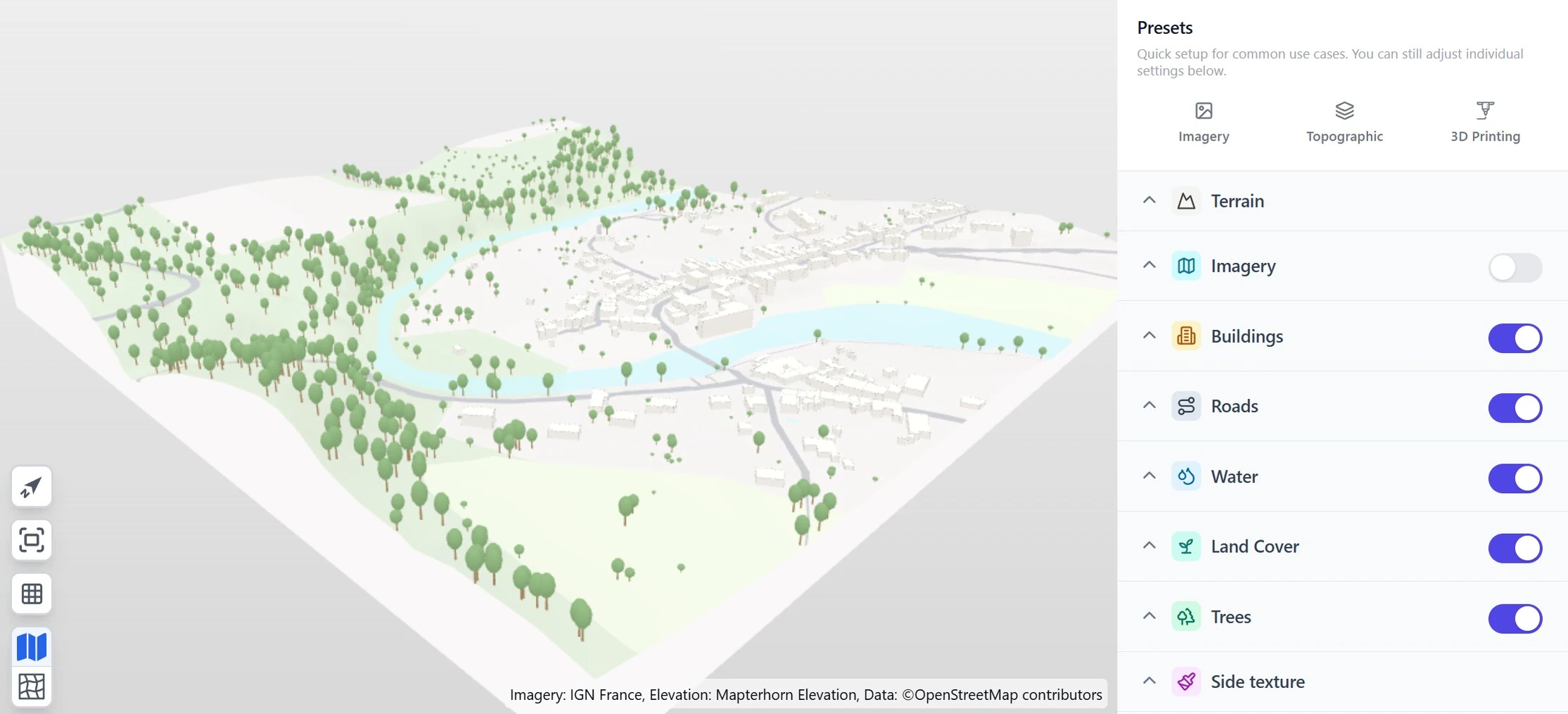
What can you generate?
Georeferenced 3D map models in a self-contained format with commercial-friendly license (.glTF, .obj, .3mf, .stl, .dxf, .3dm, .skp, .ifc).
All formats are usable offline and independently of our platform. No dependency on third party services or API keys—your models will work forever, even if we disappear.
- Self-contained models
Export your models in the format that fits your workflow:
Web & visualization
 .glTF Geometry, colors and textures in one compact file. Loads directly in browsers and game engines.
 .obj (with texture) Opens in almost any 3D software, but carries no units and splits the texture into separate files.
3D printing
 .3mf The modern 3D printing standard. Color, materials and real units in one file, read by every current slicer.
 .stl The old standard. Triangles only, so no color, no materials and no units. Choose 3MF unless your tool needs STL.
CAD & BIM
 .dxf Named, colored layers for terrain, buildings and roads. Imports into AutoCAD, SketchUp and Vectorworks.
 .3dm Native Rhino. NURBS terrain surface with the imagery as its texture, buildings as closed solids, trees as block instances.
 .skp (SketchUp 2017+, including SketchUp Free) Native SketchUp, geolocated. A painted group per building, road, water body and green area, real-size tree components, real altitudes, and road center lines and outlines on their own tags.
 .ifc BIM-ready and georeferenced (UTM, State Plane or national grid). Buildings as parametric solids for Revit, ArchiCAD and IFC viewers.
- Commercial use included
Unlike most of our competitors, our models are made from open data sources with commercial-friendly license. This means you can use them without restriction — you are even allowed to resell them if you want to.
Depending on the imagery source, you might need to attribute the imagery source somewhere when you reuse the 3d model.
- Optimized & lightweight
Our models are generated using a Triangulated irregular network mesh that makes them more lightweight and efficient to display.